Super Proxy is here!
Super Proxy tunnels all your apps through an HTTP or SOCKS5 proxy server without root access required.


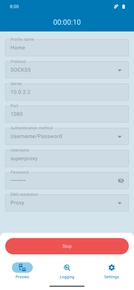
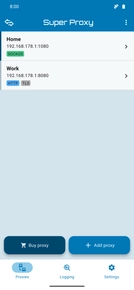
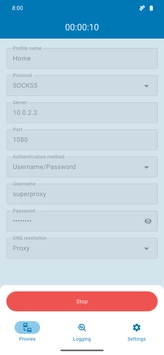
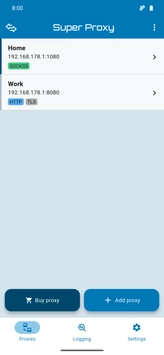
The leading proxy app for Android and iOS, trusted by over 1 million users worldwide.
How does it work?
Super Proxy provides a local VPN service on your phone that redirects all your connections through a proxy server.
Protocol support
Super Proxy works with both SOCKS5 and HTTP proxies using the HTTP CONNECT method. Connections to the proxy server can be encrypted with TLS if the proxy server supports it.
SSL support
Encrypt your connection to the proxy server with SSL/TLS. This feature is currently available exclusively for the Android version of Super Proxy.
Unlimited Proxy Profiles
Add as many proxies as you like. Super Proxy supports an unlimited amount of different proxy profiles. Proxy profiles can be exported and imported.
Comprehensive Logging
Monitor your app connections in real time with our advanced logging features.
Pro Features
Unlock the full potential with our pro version, boasting exclusive features including a home-screen applet, a quick settings tile, app-based firewall rules, app-based proxy bypass and dark mode.
No DNS leakage
All DNS names are resolved through the proxy server, UDP connections are blocked and all TCP connections are forced to use the proxy.
Translations
Super Proxy is available in 8 languages. If you want to help translate the app into your langauge get in touch with the team.
Android TV Support
Super Proxy is fully compatible with Android TV, allowing you to proxify your smart TV or streaming box connections with ease.
Frequently asked questions
Over 100,000 users successfully use SuperProxy every day. If SuperProxy isn't working for you, it's likely an issue with the proxy server you're using. Please double-check your proxy settings, for example, by entering the details in your browser on your PC, before leaving negative reviews.
SuperProxy doesn't include proxies. Most users purchase proxies from third-party providers, use their company's proxy, or set up their own proxy servers. Check out our partners for proxy options.
You can now purchase SuperProxy Pro via Stripe.
To get started, sign in with your Google Account in the Settings tab of the SuperProxy app. If you use the same email address for your Stripe payment, Pro features will be activated automatically upon your next login.
Please contact support if you encounter any issues.
Yes.
Yes, UDP over SOCKS5 is now (experimentally) supported on Android. To enable it, you need to join our beta program and get the latest version of the app.
- 1. Open your device settings and find the Always-On VPN settings.
- 2. Find the SuperProxy App and tap the settings icon.
- 3. Tap the switch next to Always-on VPN to enable it.
- 4. Tap the switch next to Block connections without VPN to enable the kill switch.
Since Android 10 it is no longer possible to disable the wireless connection programmatically. This means there is currently no other way to implement a kill switch.
Short answer: Yes
Longer answer: When SuperProxy is active with an HTTP or SOCKS5 proxy, it tunnels all TCP connections through the proxy while blocking all UDP packets by default.
WebRTC typically uses the STUN protocol to discover your real public IP address. Because STUN relies on UDP – which SuperProxy blocks – the browser cannot reach a STUN server to reveal your external identity.
"What about the Local IP leak?"
You may notice some leak tests flagging a "Local IP address" (usually in the format 10.x.x.x). Here is why that is safe:
- Private Address Space: This is a randomly generated internal IP used specifically for the SuperProxy VPN interface.
- No Personal Data: This address is unique to the session and does not expose your real-world location.
- Automatic Rotation: This local IP is regenerated every time you start the app.
While browsers can always query local interface addresses, SuperProxy ensures that your actual public IP remains completely hidden.
We recommend using Oxylabs
as your proxy provider